Ticketing Admin: customer accounts and entitlements
Customer inventory
Open Users → Customers. The screenshot displays Customer, Company, Products, Email, Phone, Status, Created and action controls. Product chips indicate allowed offerings (for example UnlshCore and UnlshStack).
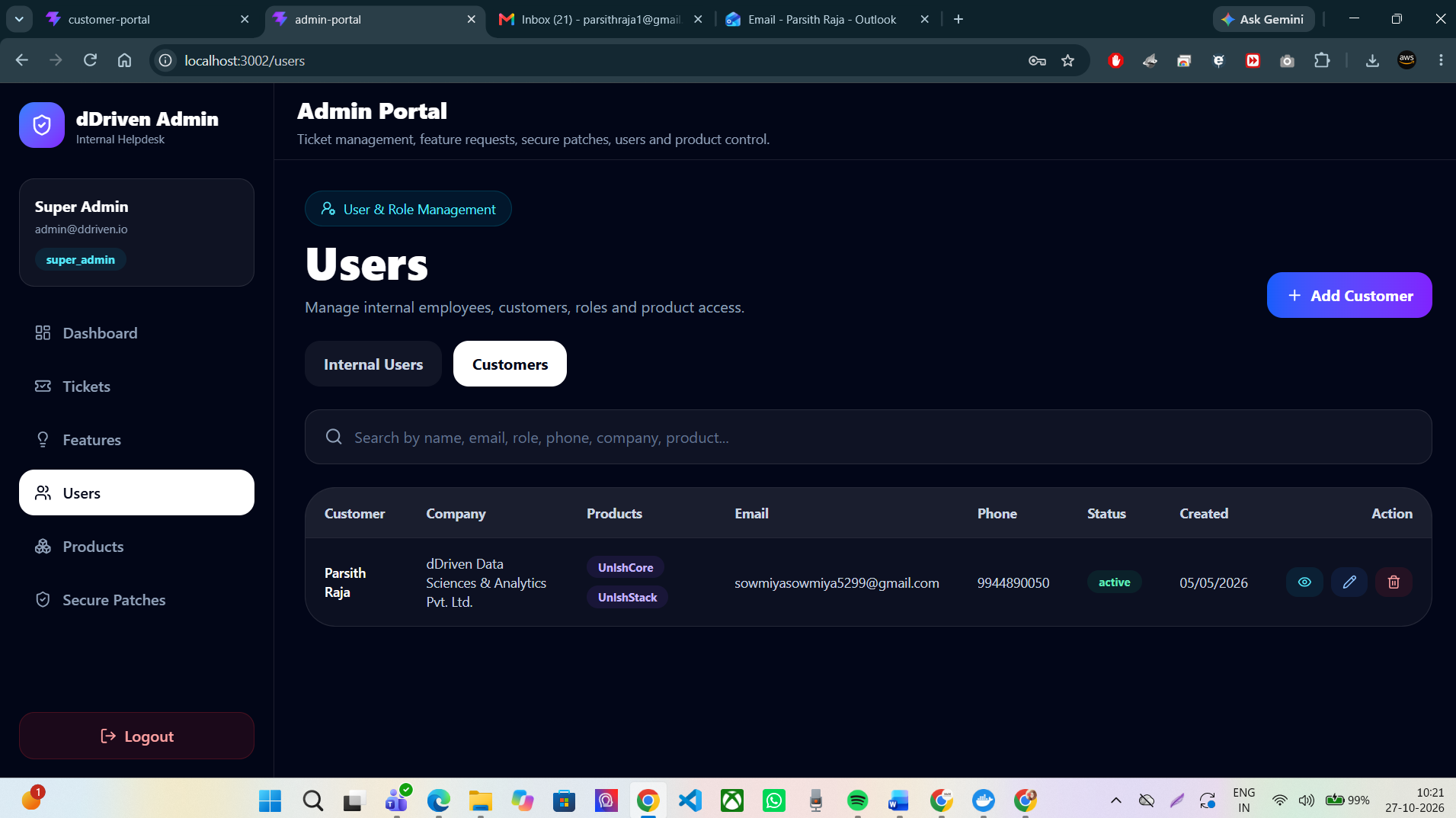
Figure: Ticketing Admin Portal customer list and allowed product chips. Screenshot captured 27 October 2026; internal use only.
Create a customer
- Confirm that the person and company are authorized to use the support system.
- Select Add Customer.
- Complete Customer Name, Company Name, Email, Phone, Password and Status as shown in the form.
- In Allowed Products, select only the products covered by the customer's entitlement.
- Review Selected Products before submitting; the number should match the intended access.
- Select Create Customer.
- Validate that the customer can sign in to the Customer Portal and sees only permitted products/tickets.
- Check that access to another customer's ticket, company record or secure patch is denied.
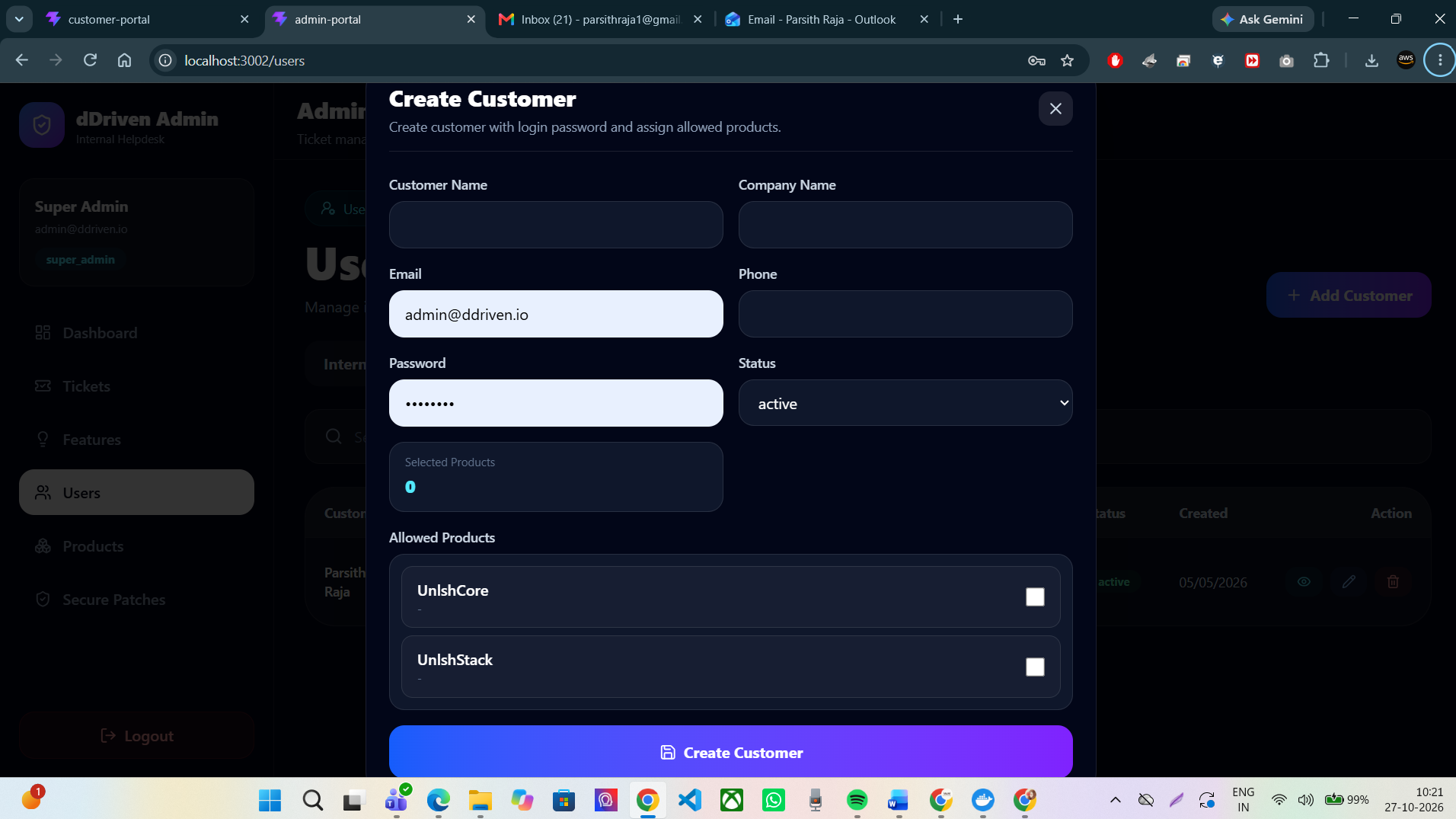
Figure: Create Customer form with identity fields and allowed-product selection. Screenshot captured 27 October 2026; internal use only.
Entitlement changes
Update allowed products only after approval from the contract/product owner. When a product is removed, also check existing open tickets and patch permissions. The screenshots establish that customer product entitlements can be selected; they do not prove how retroactive access revocation affects old tickets or downloads.
Account safety and verification
- Verify the email address through the approved organizational process before enabling use.
- Avoid using personal inboxes or test identities in production unless explicitly authorized.
- Store no passwords in documentation, screenshots or support correspondence.
- Keep internal contact data limited to access-controlled documentation.