INTERNAL / DRAFTOperations·Engineering & support
Notification matrix and closure events
Screenshot-backed notification cases
| Trigger | Observed example | Source images | Caveat |
|---|---|---|---|
| Ticket assigned to employee | Internal new-ticket assignment email | Internal assignment image | Delivery depends on mail settings |
| Customer replies | Internal email to support | Internal reply image | Support should inspect portal record |
| Customer closes ticket | Internal closure email | Internal closure image | GitLab issue closure is not confirmed |
| Customer creates ticket | Customer confirmation | Customer created image | Check portal ticket number |
| Support replies | Customer reply notice | Customer reply image | Actual portal conversation is authoritative |
| Ticket assigned | Customer assignment notice | Customer assignment images | Mail does not prove successful GitLab API handoff |
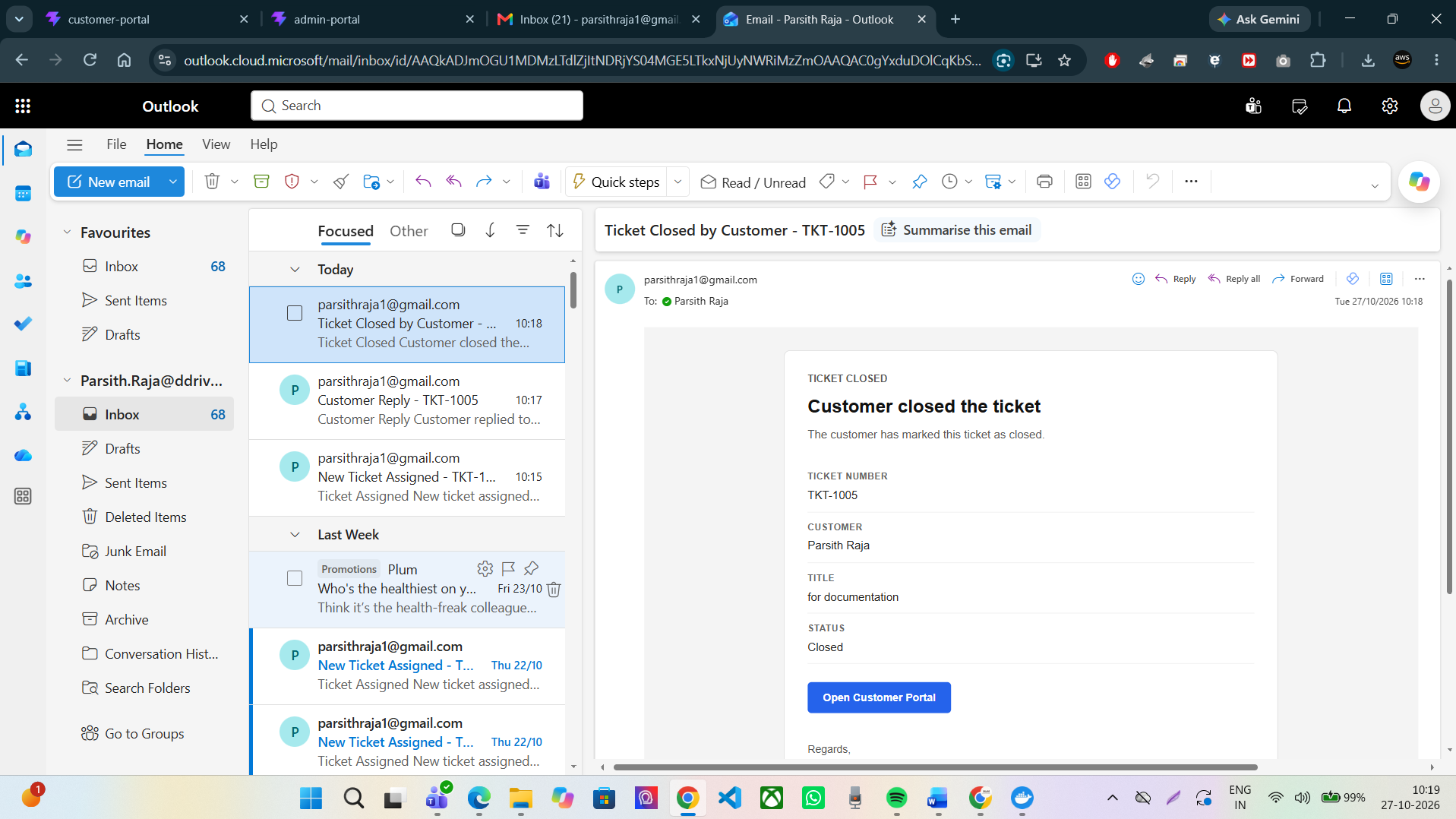
Figure: Internal email notification following customer closure of TKT-1005. Screenshot captured 27 October 2026; internal use only.
Validate email delivery
- Use a controlled test ticket and approved test accounts.
- Trigger one event at a time and record ticket ID and event timestamp.
- Confirm the portal state changed as expected.
- Check that the expected recipient received the correct event message without exposing unnecessary private information.
- If missing, review application delivery logs, outbound mail transport, blocked domains and spam filtering.
- Confirm the link leads to the approved internal or customer domain; treat unexpected domains as suspicious.
Avoid misleading interpretations
An internal customer closed email confirms the mail system reported an event. It is not proof that the linked GitLab item is also closed. Always reconcile both systems explicitly until status-sync behavior has been tested and documented.