INTERNAL / DRAFTEngineering·Engineering & support
Engineer: receiving and investigating assigned work
Receive a ticket assignment
- Monitor the approved work queue and assignment email (if delivery is enabled).
- Extract the ticket ID, product, version/release and priority.
- Open the authorized GitLab project and locate the corresponding
[TKT-####]work item. - Compare the issue details against the support record; raise any discrepancy with the support administrator.
- Confirm you have access to the intended repository and the correct project.
- Acknowledge ownership in the approved internal workflow and begin reproduction.
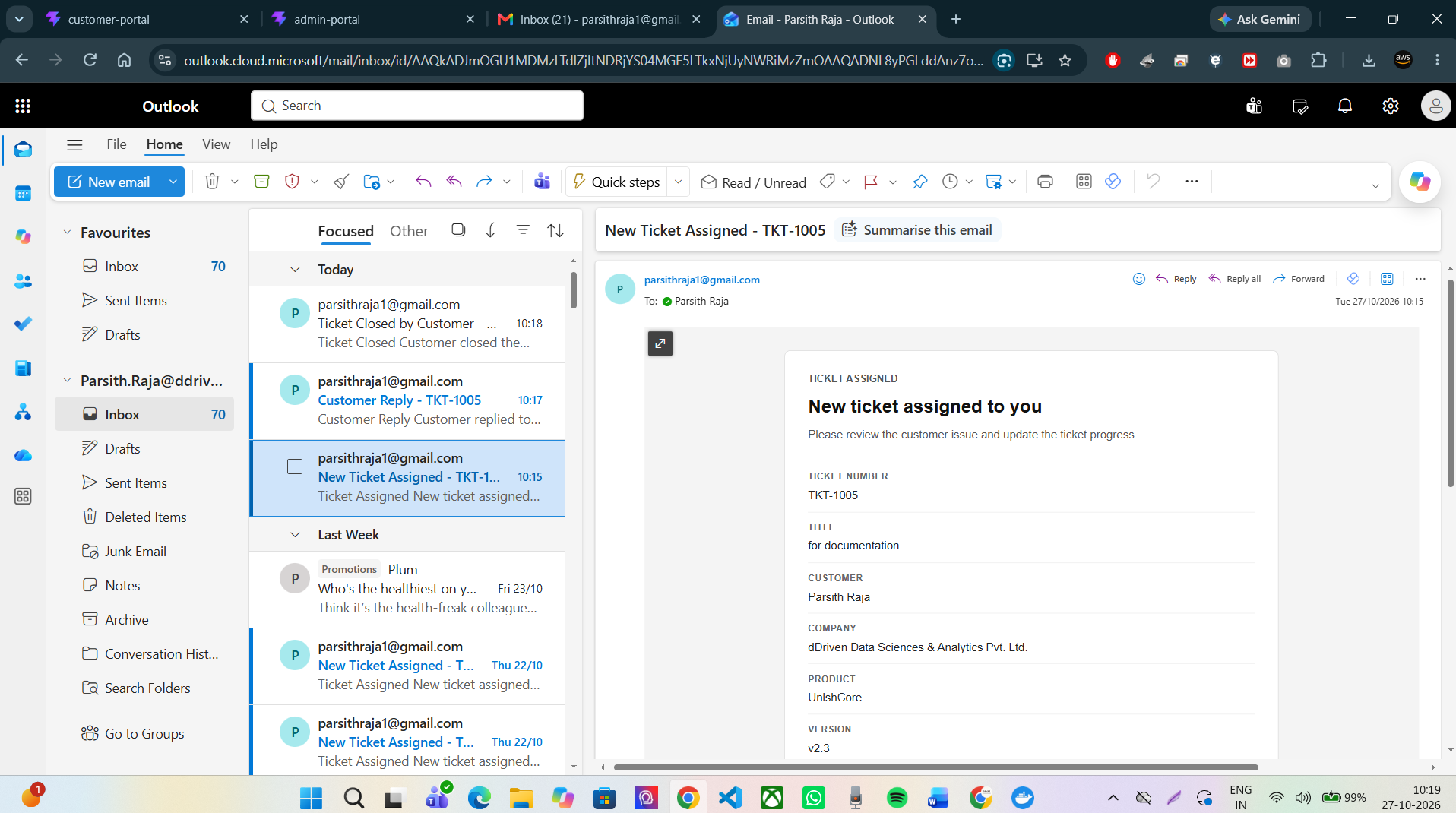
Figure: Internal email example for TKT-1005 ticket assignment. Screenshot captured 27 October 2026; internal use only.
Investigation checklist
- Reproduce in a safe environment with the reported product/version/release.
- Gather the minimum diagnostic logs needed; sanitize credentials and personal data.
- Document expected and actual results, suspected scope and impact.
- Distinguish application defects from environment/permission/integration failures.
- Keep the GitLab issue updated with development progress; use the customer ticket for customer-visible updates.
Handling incoming customer messages
A customer response may arrive while engineering work continues. The captured internal mail demonstrates a customer reply notification; confirm its content in the portal and update the engineering issue when it affects diagnosis.
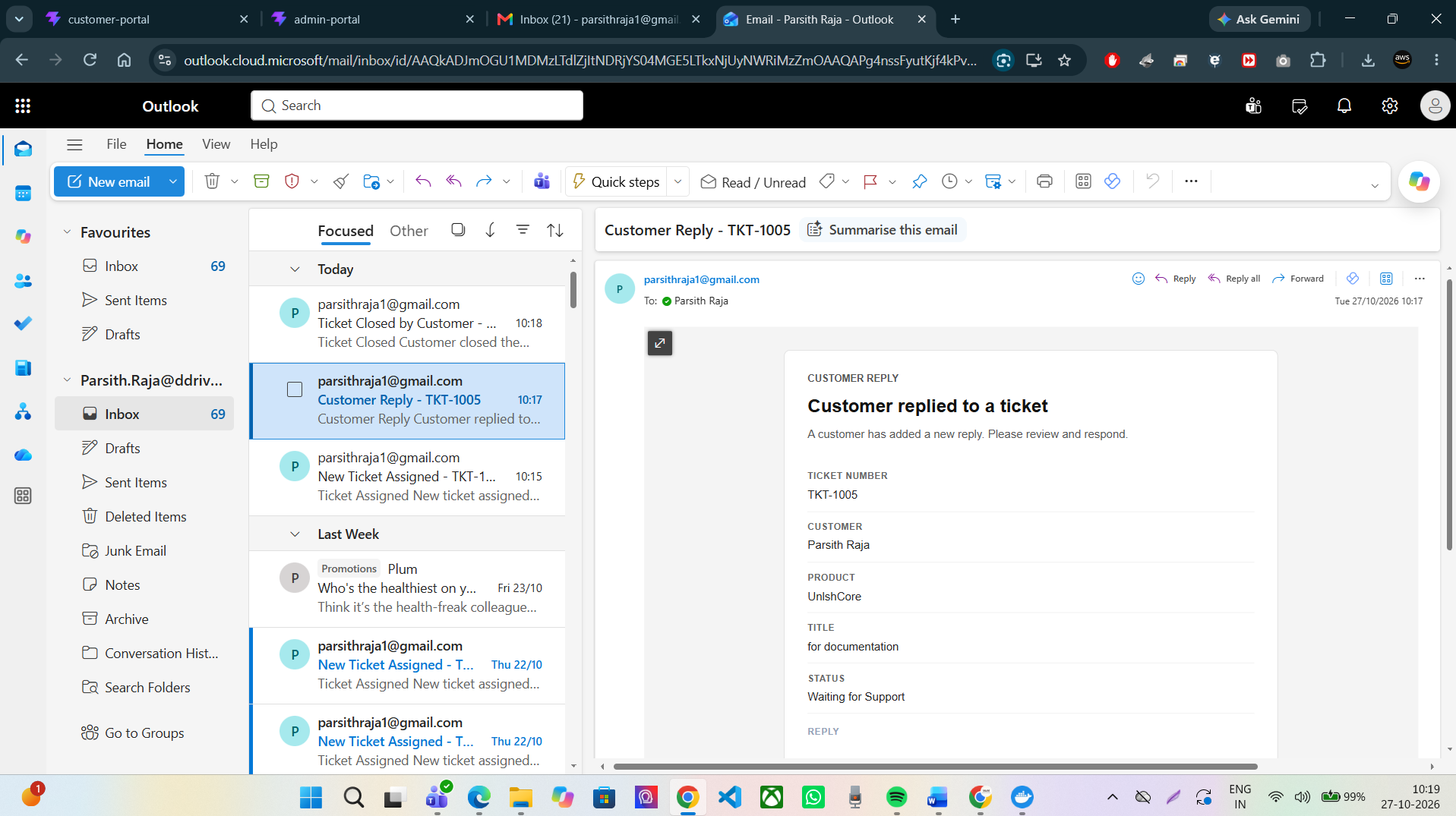
Figure: Internal notification that a customer replied to a ticket. Screenshot captured 27 October 2026; internal use only.
Escalate promptly when
- Customer impact is high and a workaround is unavailable.
- The ticket is mapped to the wrong project or an engineer lacks repository access.
- The integration did not create a GitLab issue after assignment.
- Testing requires credentials, production data or an environment outside your authorization.