GitLab work items and customer ticket mapping
Work item purpose
An engineering work item tracks the development investigation linked to a support ticket. An issue prefixed [TKT-1004] is visible in the current implementation reference; [TKT-1005] demonstrates the backend-created handoff after support assignment.
Find and inspect an item
- Open the correct project, such as Product Team / Unlsh Core.
- Select Work items (or Plan → Work items, depending on the installed GitLab menu layout).
- Search for the ticket number including the
TKT-prefix, or filter by assignee/status/label. - Open the item and inspect: ticket ID, problem description, relevant product/version/release, category, priority and assignee.
- Confirm the item refers to the same customer support record. Escalate mismatched products or missing links to support/operations.
- Record investigation notes, code branch references and merge-request links in GitLab without placing secrets or unnecessary personal data in issue comments.
- Close the work item only after engineering verification and the project team's approval process.
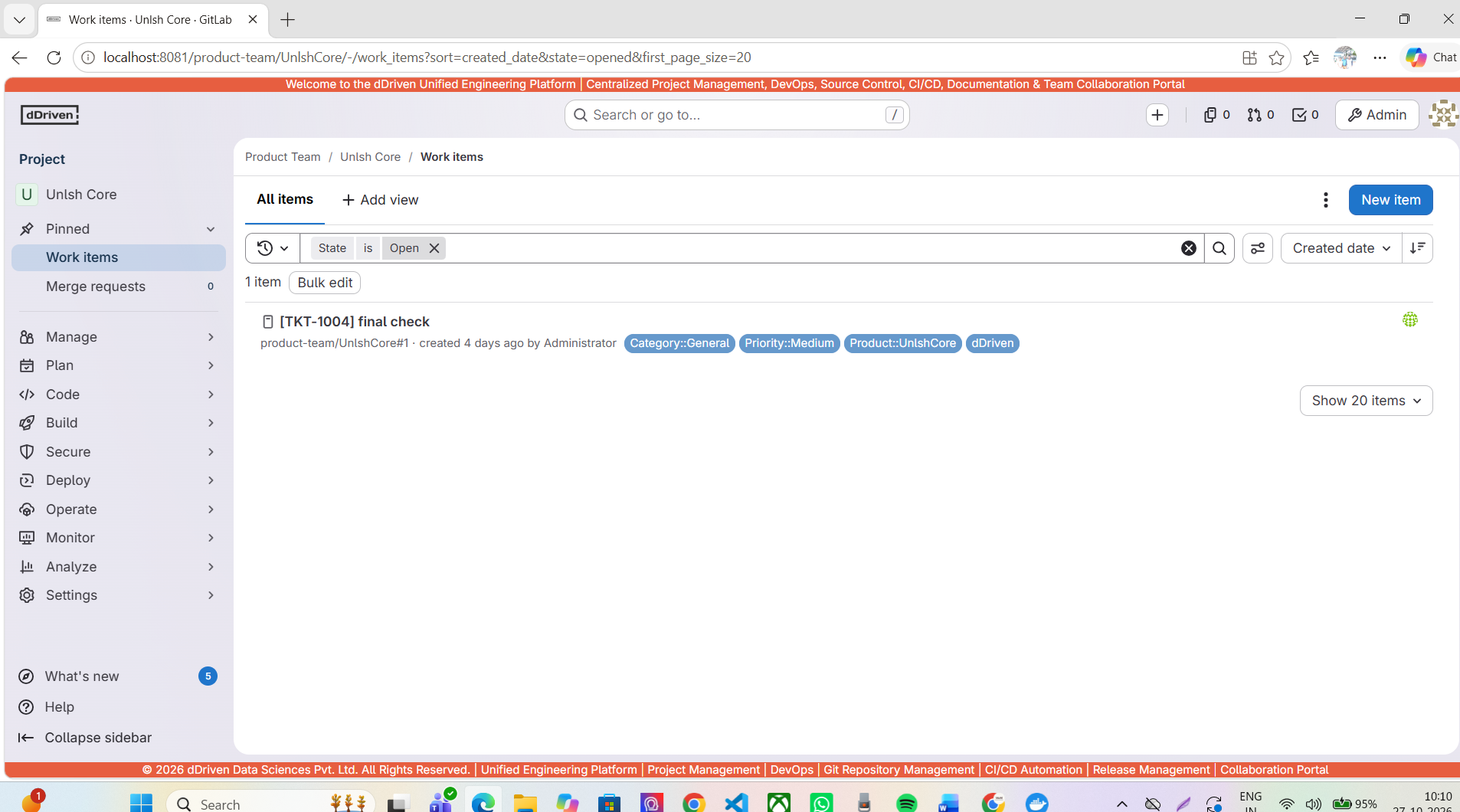
Figure: GitLab work item listing with TKT-1004 and metadata labels. Screenshot captured 27 October 2026; internal use only.
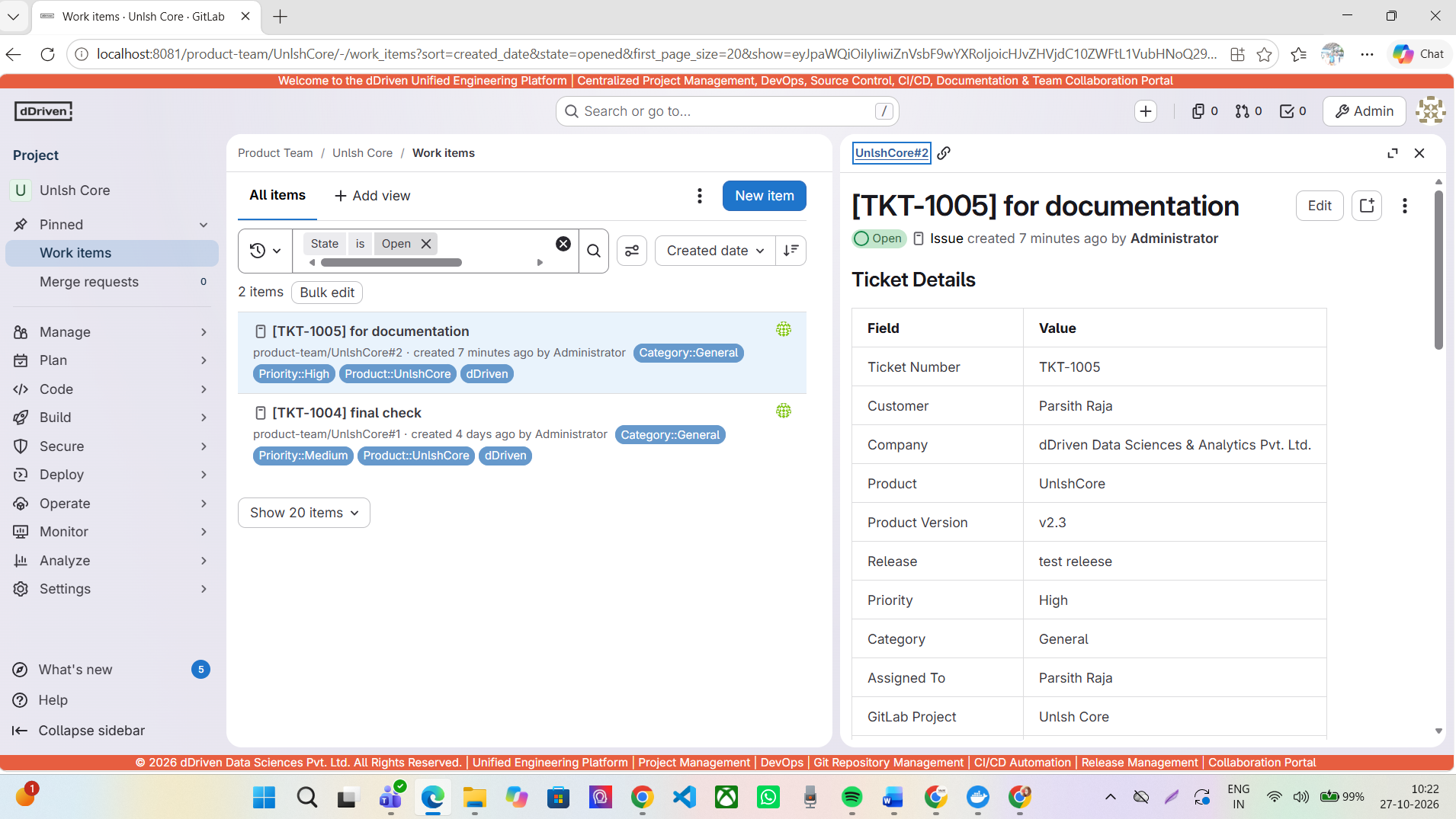
Figure: TKT-1005 engineering item showing the ticket details in GitLab. Screenshot captured 27 October 2026; internal use only.
Responsibility boundary
The customer ticket is the communication record. GitLab tracks internal engineering work. A comment or closure in GitLab is not proved to propagate to the customer portal. Support must keep the customer-facing record updated and reconcile resolution across systems.
Minimal issue review checklist
- Correct originating ticket ID and target product project.
- Correct version/release and urgency labels as reported by support.
- Assigned employee has access to the mapped GitLab project.
- Reproduction steps and expected versus observed behavior are sufficiently clear.
- Relevant patch/merge request and verification result are linked before final closure.