INTERNAL / DRAFTGitLab·Engineering & support
Repository access, branches and merge requests
Repository navigation
- Open an authorized GitLab project.
- Select Code → Repository.
- Choose the required branch using the branch selector. The example repository shows main and README.md.
- Use the Code menu to copy the approved clone URL, if your account has repository read access.
- Use feature/fix branches for changes and raise a merge request into the approved target branch.
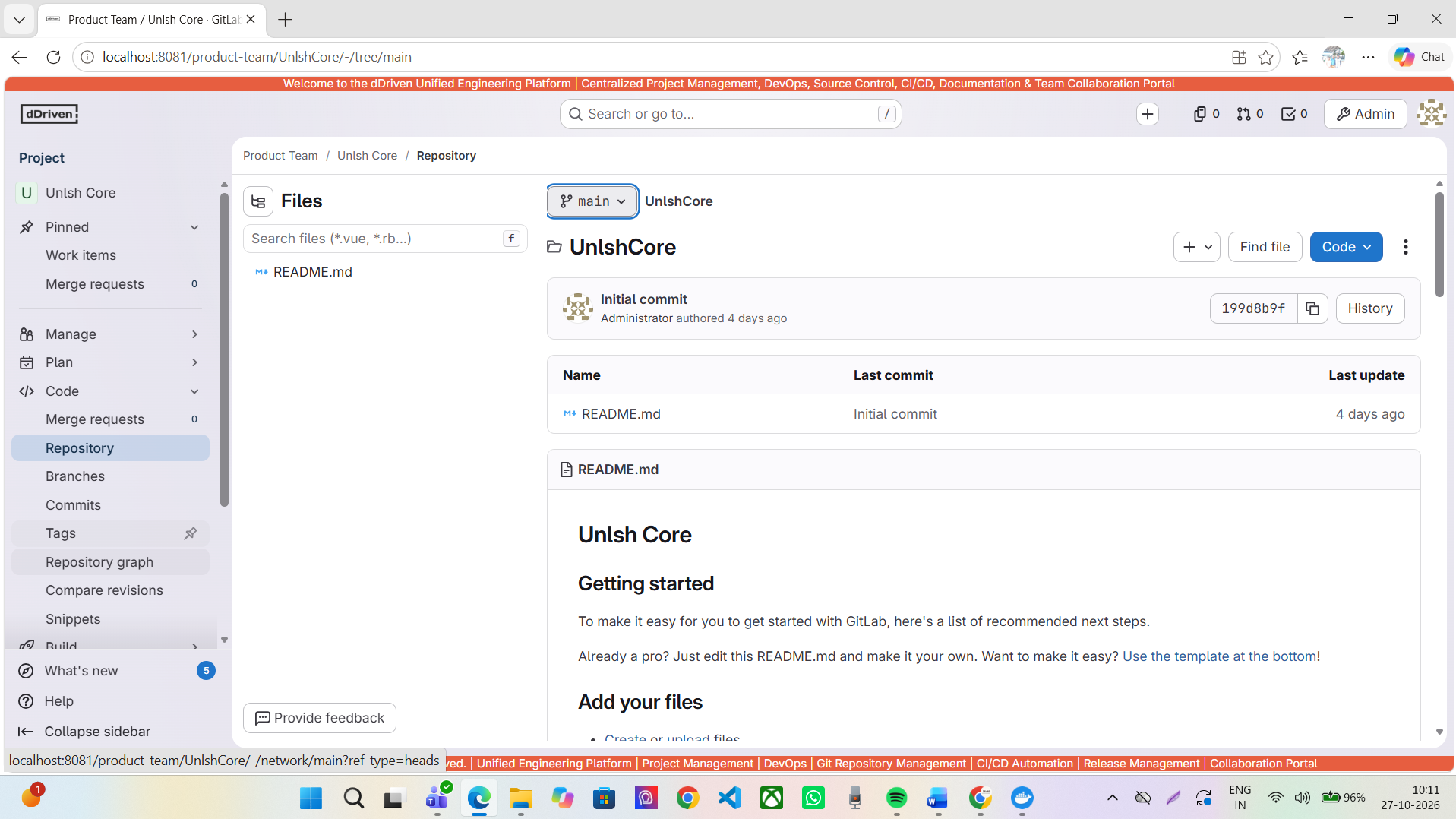
Figure: Unlsh Core repository view with main and README.md. Screenshot captured 27 October 2026; internal use only.
Example developer commands
Replace the placeholders with the approved repository and actual ticket identifier; do not treat this as an executable production script.
git clone <approved-repository-url>
cd <repository-directory>
git switch -c fix/TKT-1005-description
# Edit and test the fix on your workstation
git add <modified-files>
git commit -m "Fix TKT-1005: explain change"
git push -u origin fix/TKT-1005-description
Open a merge request
- In the project, select Merge requests → New merge request.
- Choose the feature branch as the source and the approved integration branch as the target.
- Describe the problem, code change, tests, deployment impact, rollback procedure and the
TKT-####reference. - Assign the appropriate reviewer and comply with any approval policies.
- Resolve reviewer comments and confirm tests/pipelines, if that project is configured with runners and jobs.
- Merge only when authorized. Communicate the resulting commit or release to the support owner.
Example merge-request description
Customer ticket: TKT-1005
Problem: [symptoms and reproduction steps]
Solution: [short technical summary]
Validation: [tests and versions verified]
Release impact: [version / migration / service restart / none]
Rollback: [approved rollback steps]
Support handoff: [release note and patch location]
Note: The current project configuration does not establish that CI/CD pipelines, runners or mandatory approval rules are configured for every project. Verify the actual GitLab configuration before adding project-specific statements.