Ticketing Admin: products, versions and releases
Catalog structure
The Products screen is arranged as three dependent areas: Products, Versions and Releases. The captured products include UnlshCore and UnlshStack. Selecting a product should expose its versions; selecting a version should expose its releases (confirm behavior on the current deployment).
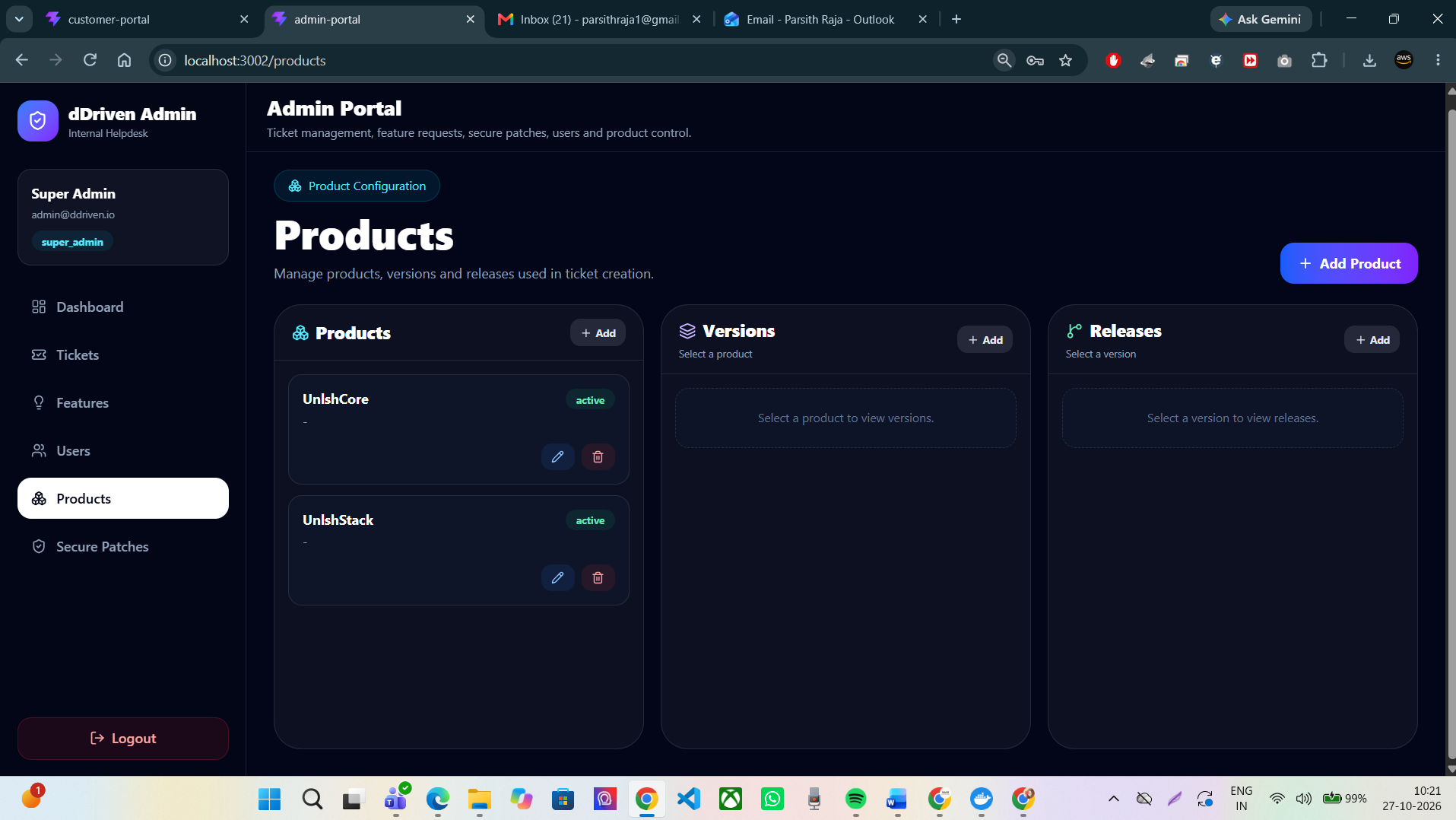
Figure: Ticketing Admin Products screen with dependent Products, Versions and Releases panels. Screenshot captured 27 October 2026; internal use only.
Configure product information
- Open the Ticketing Admin Portal and select Products.
- Review the product catalog. Confirm the product is active and uses the exact approved product name.
- If authorized, choose Add Product or the Add button in the Products panel and complete the live form.
- Select the relevant product and choose Add under Versions; use the approved version naming convention.
- Select a version and choose Add under Releases; choose the correct release identifier.
- Verify that these values appear as intended in customer ticket flows before enabling production use.
- Confirm the product's mapping to the correct GitLab project with the integration owner.
Mapping controls
A product displayed in the portal (for example UnlshCore) may map to a GitLab project displayed with spaces (for example Product Team / Unlsh Core). Do not infer the mapping mechanically from the name; verify the actual configured identifier/project path.
Change-control checklist
| Change | Before approval | After approval |
|---|---|---|
| New product | Identify product owner and GitLab target | Create a test ticket and verify correct target project |
| New version | Verify supported version | Confirm version appears in the intended product |
| New release | Validate release name and customer availability | Create a test ticket and inspect metadata in the GitLab issue |
| Deactivation | Assess open tickets, entitlements and patches | Confirm expected restrictions in customer portal |
Source limit: The screenshot shows Add/Edit/Delete controls, but not every resulting modal, validation rule, or backend mapping screen. Those details require product-owner confirmation.