INTERNAL / DRAFTCustomer·Engineering & support
Customer Portal: email notification examples
Demonstrated event messages
The provided screenshots show messages sent to customers about ticket creation, support team replies and ticket assignment. Whether messages are always delivered depends on the configured email system and application rules.
| Event | Example recipient | What to check |
|---|---|---|
| Ticket created | Customer | Ticket number, expected product and trusted portal |
| Support replied | Customer | Reply content inside the portal, not only the email |
| Ticket assigned | Customer | Ticket reference and ownership update as shown |
| Ticket assigned internally | Internal contact | Who is assigned and correct product/priority |
| Customer replied | Internal support | New customer information requiring response |
| Customer closed | Internal support | Closure status in the portal |
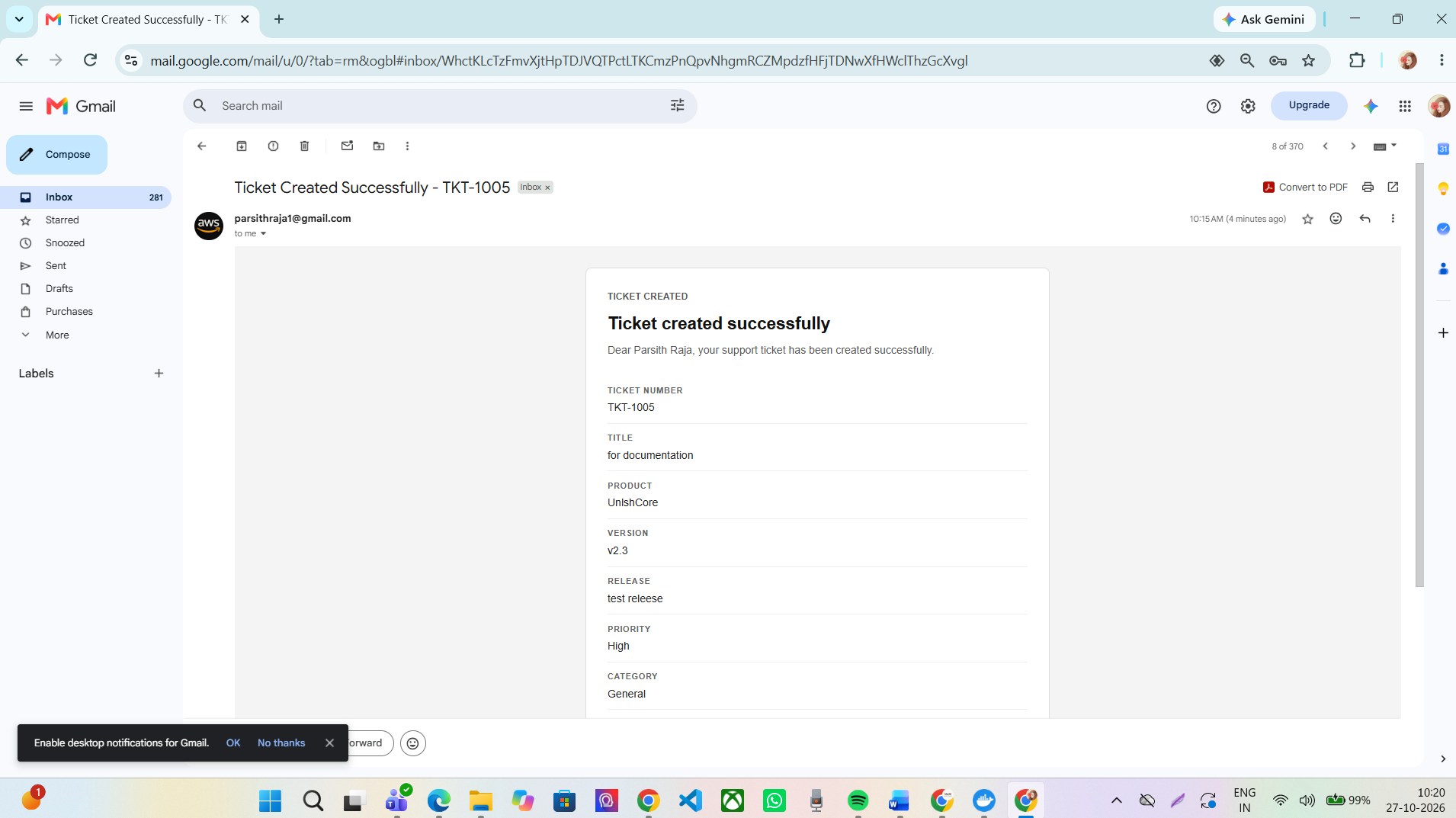
Figure: Customer confirmation email for a created ticket. Screenshot captured 27 October 2026; internal use only.
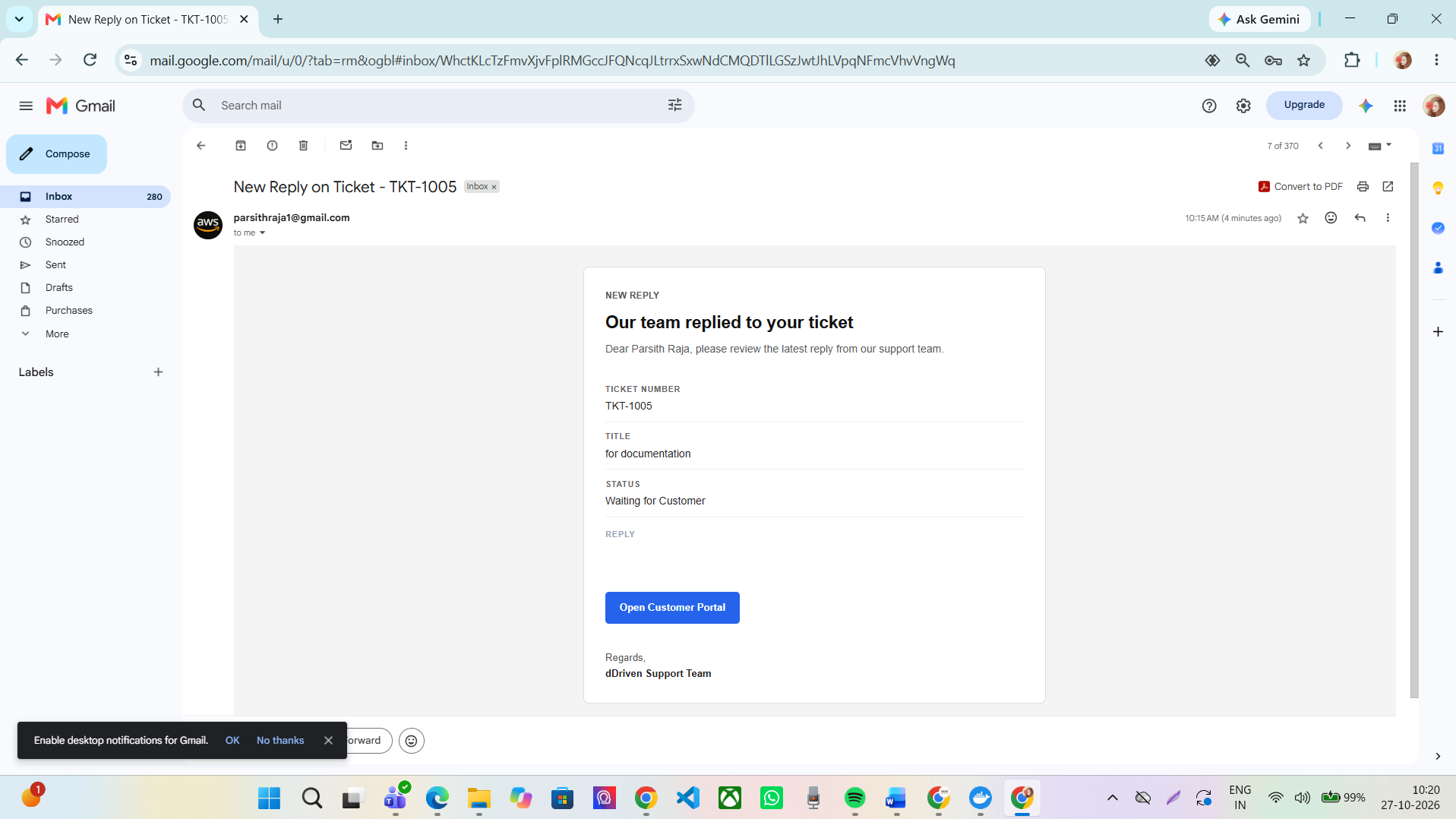
Figure: Customer notification of a support team reply. Screenshot captured 27 October 2026; internal use only.
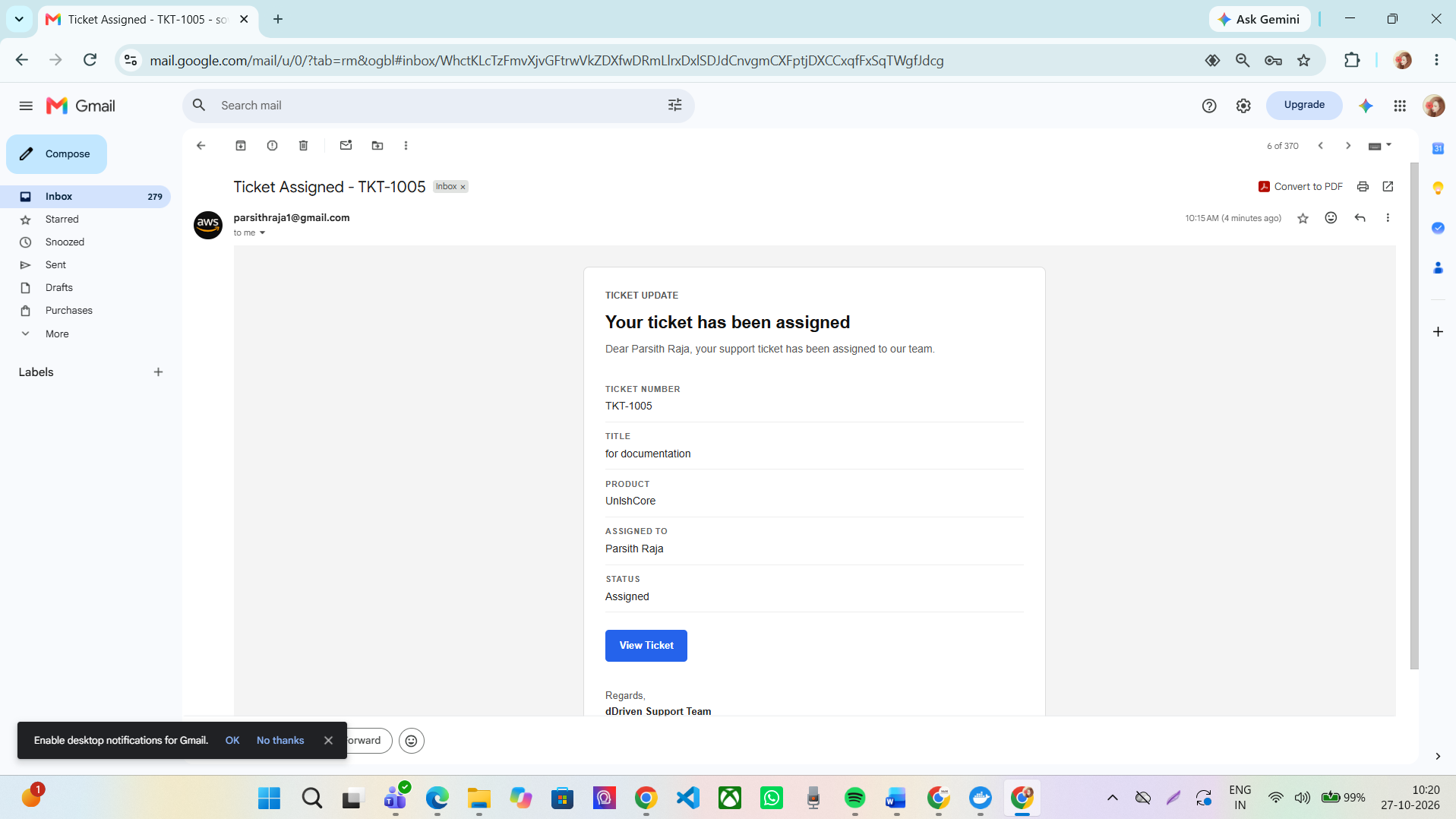
Figure: Customer notification of ticket assignment. Screenshot captured 27 October 2026; internal use only.
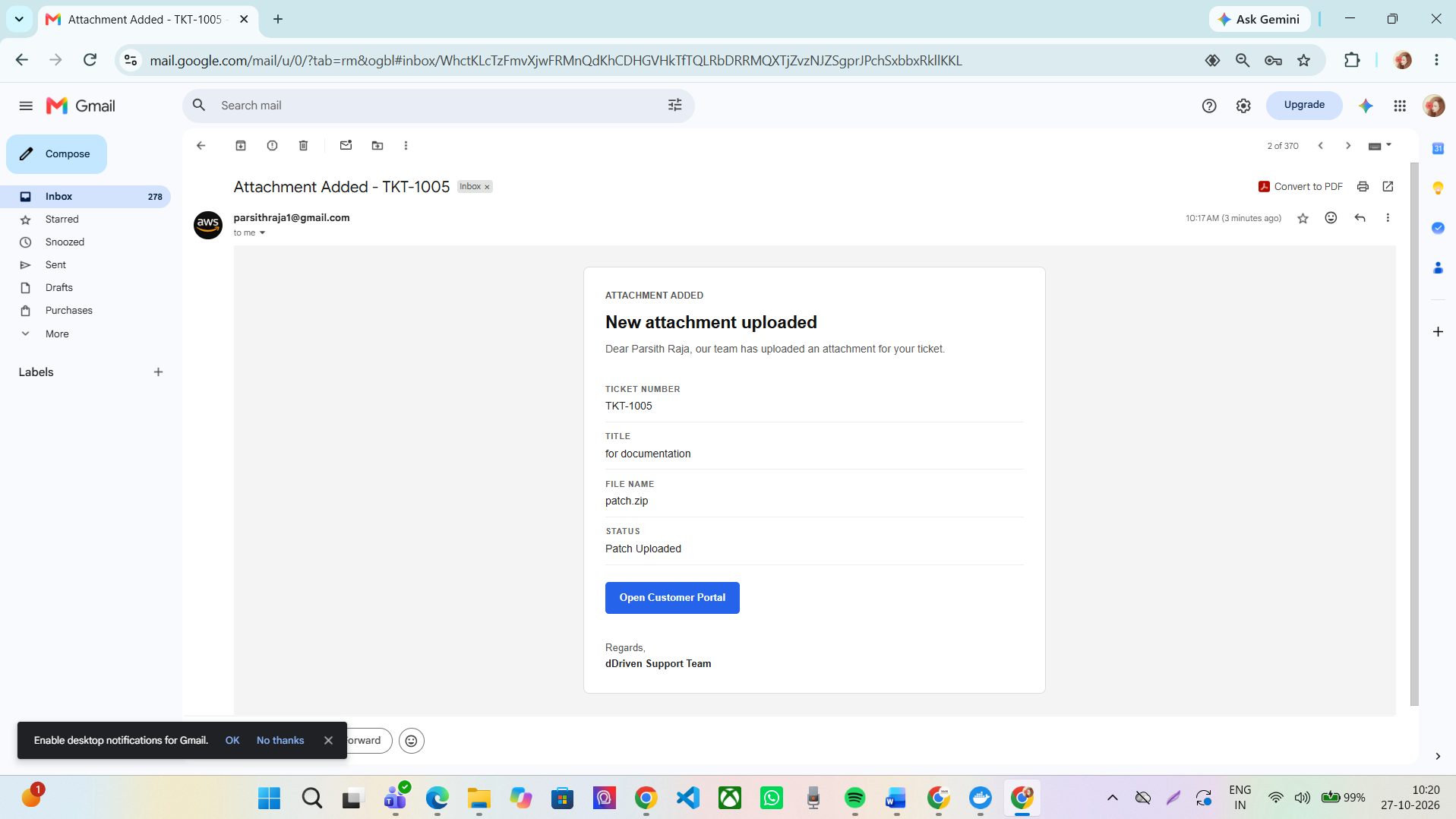
Figure: Additional captured customer ticket-assignment email view. Screenshot captured 27 October 2026; internal use only.
Email safety
- Navigate to the trusted portal URL instead of entering credentials through an unfamiliar email link.
- Email may be delayed, filtered or unavailable; check the portal for authoritative status.
- Do not forward messages containing customer data to unauthorized recipients.
- A notification receipt alone does not prove the underlying GitLab integration succeeded.